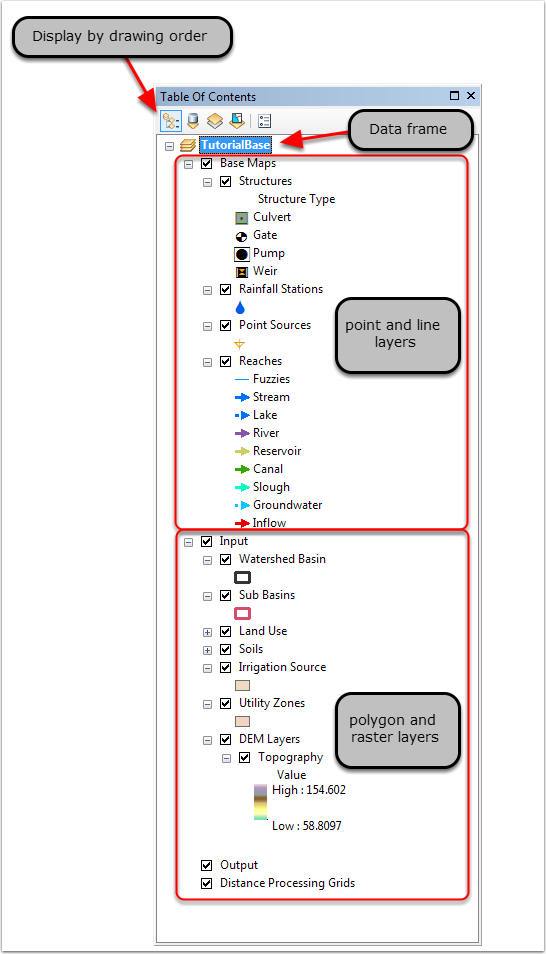
ArcMap TOC Structure
When a scenario is loaded into ArcMap using the Scenario Manager, the data that was in the scenario's geodatabases is automatically loaded into the ArcMap table of contents (TOC). Some of the tabular data and all of the spatial data from the geodatabases are loaded into ArcMap. This can be seen by clicking on the display by source button at the top of the TOC, shown below. The spatial data is joined to the tables by the interface, allowing access to the table records in the table database through the Property Editors. The join relationships are shown in the Developer Manual under the section; Map Feature relations to the WAM Table database.
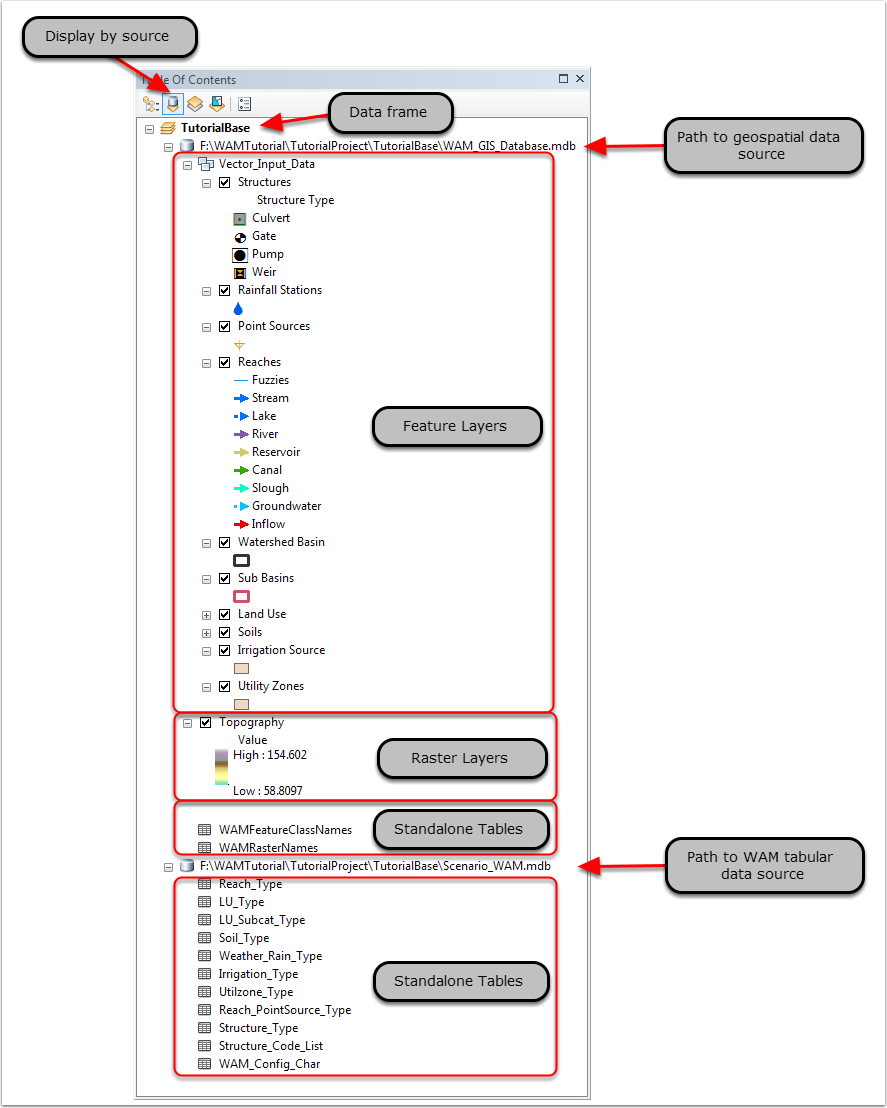
When the scenario data loads into ArcMap, it is all contained within a data frame (e.g. TutorialBase, below). In the data frame, various layer groupings are created. These layer groupings are separated into "base" and "input". This separation is done purely on feature geometry type and the model will not differentiate between the groups. The layer group "Base" contains the point and line feature classes, while "input" contains polygonal feature classes and raster layers such as the scenario DEM. Additional data can be added to the map as desired by the user and the layers loaded by WAM can be moved as needed. If data layers are added by the user, it is recommended that they not be given the same name as any layers loaded by WAM. Furthermore, it is important that the user not rename any of the layers loaded by WAM. Other layer groupings containing model intermediary and output files can also be loaded into the data frame, depending on their availability. Two group layers are created when the scenario is loaded (distance grids and model output) but are not populated at the initial stage.