Land Use
The land use feature class is one of the inputs to BUCSHELL which simulates the amount of constituents that leave a source cell on a daily basis in the form of either surface runoff or groundwater percolation. For each land use feature present in the watershed, the parameters must be defined to correctly represent the land cover and land use, which will control the accuracy of the BUCSHELL simulation.
When WAM is run the land use feature class is converted into a raster GRID and the WAM database tables are written out to a text based format so they can be read by BUCSHELL.
Data Quality Assumptions
-
The spatial extent of each feature polygon is accurate and there are no gaps or overlaps between polygons.
-
A complete join can be created between all features stored in the spatial data and the tabular records.
-
The FLUCCS attribute of each feature polygon correctly defines the land use.
-
The aggregation of similar land uses into representative groups captures the desired resolution of the project
The land use feature class contains polygons defining the various land uses throughout the model domain. In Florida, the Florida Department of Environmental Protection (FDEP) maintains a state-wide land use feature class that is assembled from land use feature classes maintained by the various water management districts. These feature classes have an attribute that gives the Florida Land Use, Cover, and Forms Classification System (FLUCCS-DOT 1999) code.
After downloading this feature class from FDEP or one of the water management districts, the feature class should be clipped (using the ArcMap geoprocessing clip command) to the basin boundary generated in the previous step. An integer field named "LUID" should be added, when this feature class is imported into the WAM GIS database, this will be mapped to the appropriate field. At this point, the feature class should be reviewed for spatial and attribute accuracy, ensuring that what is mapped is accurate both in its spatial extent and classification. A good technique is to overlay the land use features, with a transparent symbology type, on top of temporally matching aerial imagery. This can be used to compare that what exists on the ground is being accurately represented by the model, in both its classification and spatial extent. If the classification is inaccurate, the FLUCCS codes can be edited to correctly define the parameters.
The required fields used by the WAM land use feature class are:
| Attribute | Alias | Data Type | Scenario_WAM Join Table |
|---|---|---|---|
| LUID | Land Use ID | Long Integer | LU_Type.ID |
| FLUCCS | FLUCCS Code | Long Integer | N/A |
| FLUCCSDesc | FLUCCS Description | String (150) | N/A |
Note that the land use feature class is joined to the LU_Type table in the Scenario_WAM database on the LUID -> LU_Type.ID field. A secondary join is performed between the LU_Type.SubcategoryID -> LU_Subcat_Type.ID
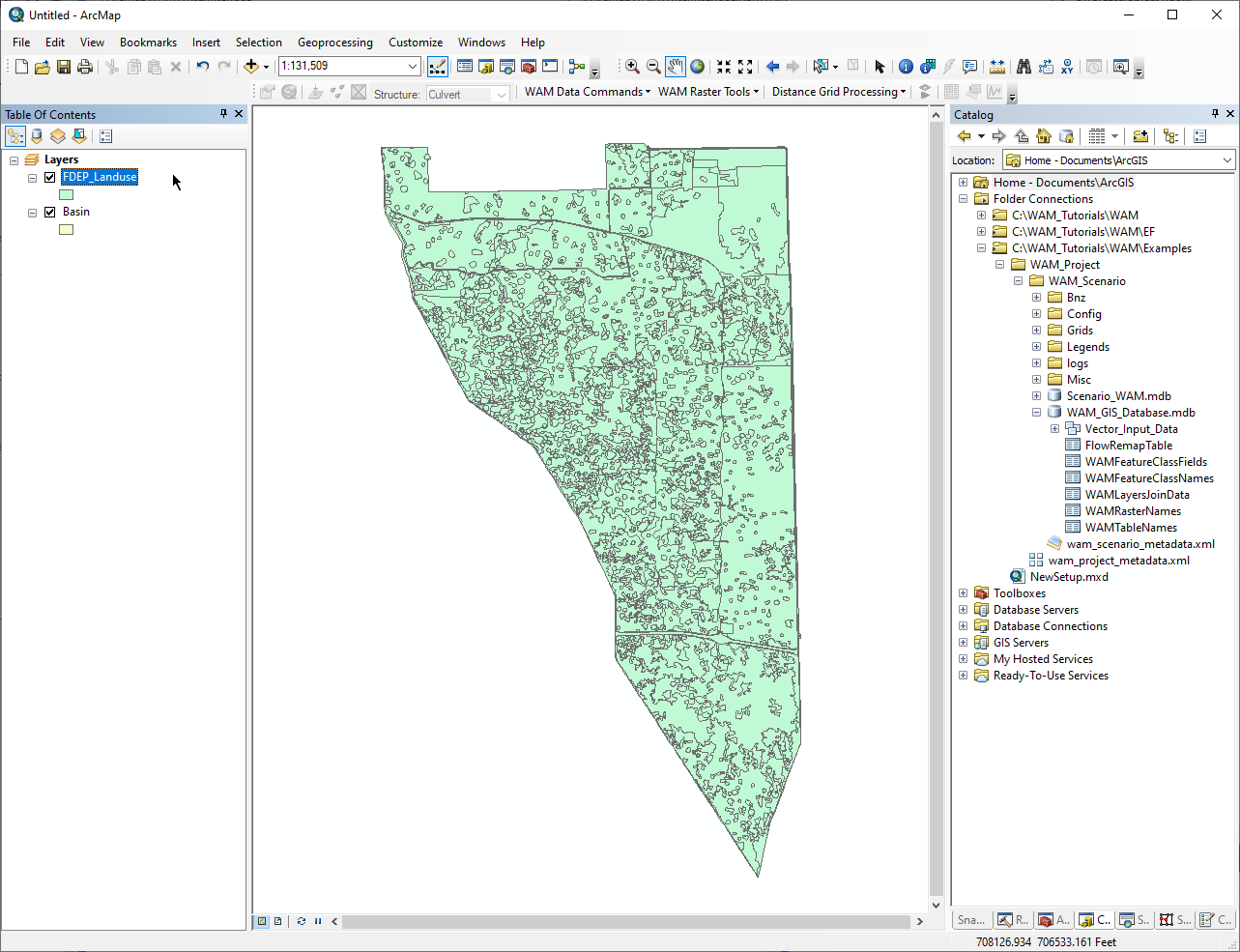
Shown below is the land use feature class obtained from FDEP and clipped to the basin boundary developed from the sub-basin boundaries in the previous page.
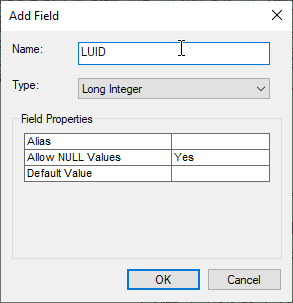
Now, add a field to the land use feature class. The field should be named "LUID" and the type should be long integer. This will hold the WAM land use IDs, which need to be obtained from a standalone table.
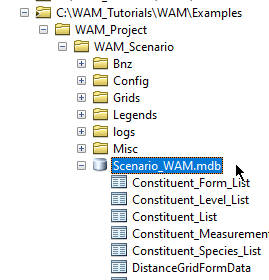
To populate this field we will use a table in the Scenario_WAM.mdb database. The Scenario_WAM.mdb database holds all the tabular data used by WAM, and is located in the scenario directory alongside the WAM_GIS_Database. It does not hold any geospatial datasets. Open the Scenario_WAM.mdb database in the catalog window by clicking on the "+" next to the database:
Scroll down to the table named "LU_FLUCCS_Mapping":
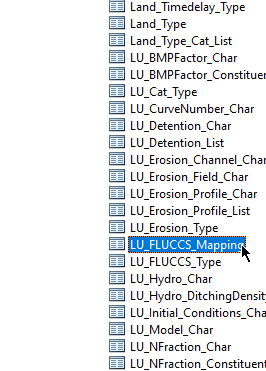
Drag this table into the ArcMap Table of Contents:
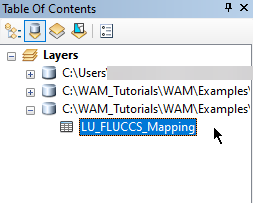
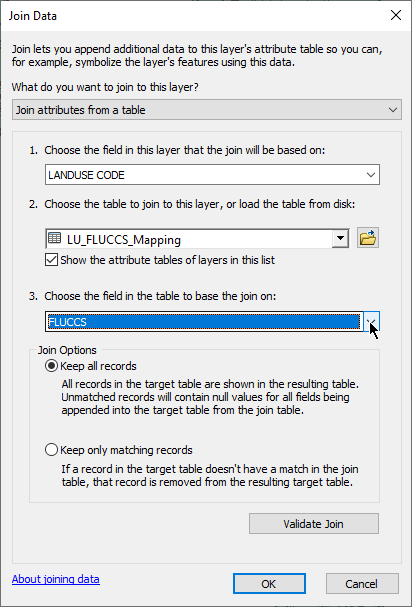
Right-click on the FDEP_Landuse layer in the table of contents and select "Joins and Relates..." and the "Join..." from the sub-menu. Join the LU_FLUCCS_Mapping table to the FDEP_Landuse feature class using the "LANDUSE_CODE" field in the FDEP_Landuse layer and the "FLUCCS" field in the LU_FLUCCS_Mapping table:
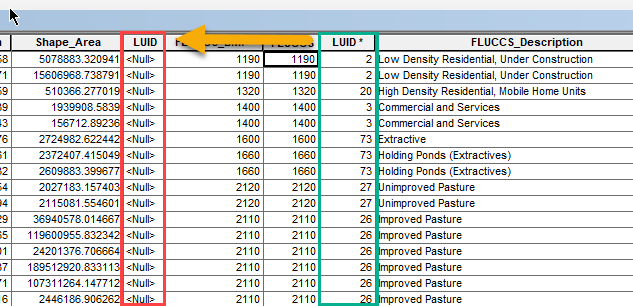
Open the FDEP_Landuse attribute table and use the field calculator to populate the <Null> values in the LUID field you created with the values from the LUID values in the LU_FLUCCS_Mapping table. When this is done, remove the join.
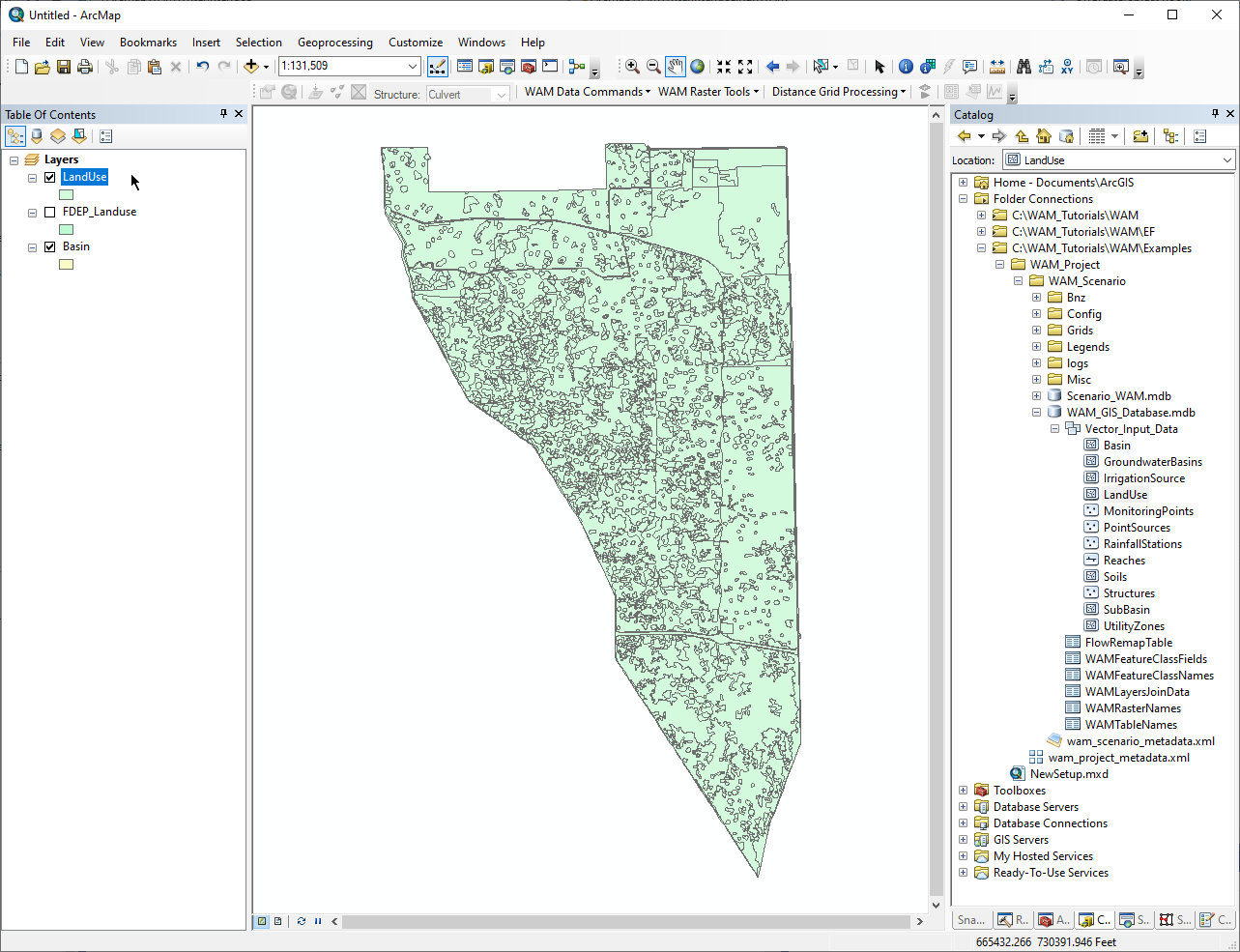
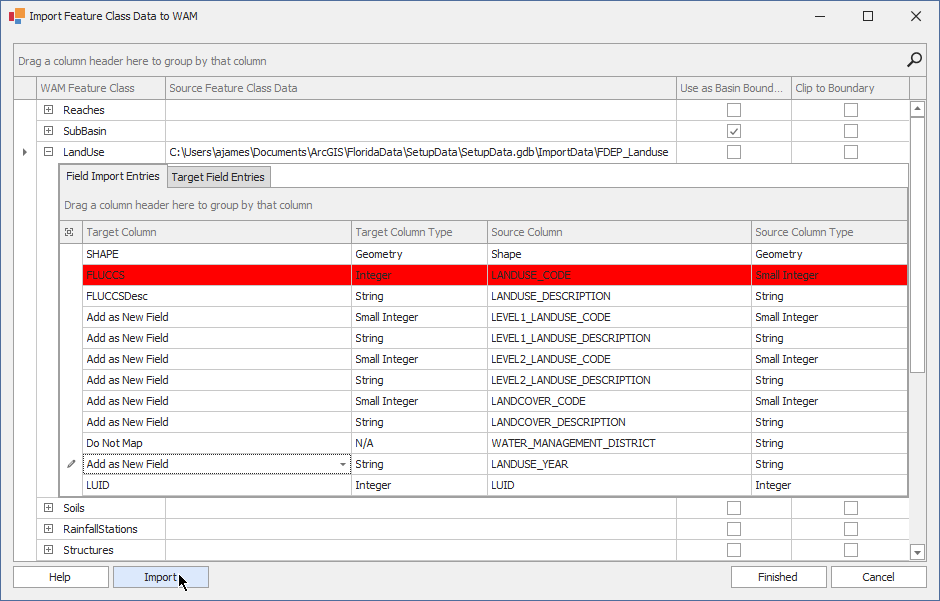
Now, the features from the clipped FDEP_Landuse can be imported into the WAM GIS Database. As when importing the sub-basins, right-click on the WAM Scenario and select "Import GIS Data". In the "LandUse" row, the source feature class is FDEP_Landuse, so click on the button with "..." at the right side of the Source Feature Class Data and browse to where the FDEP_Landuse feature class is located. Open the field mapper and assign the FLUCCS attribute in the target feature class to the "LANDUSE_CODE" field in the source (ignore the warning that may pop up since the "LANDUSE_CODE" field in the FDEP_Landuse feature class is a small integer and it can be copied to a regular integer), assign the FLUCCSDesc to the LANDUSE_DESCRIPTION field, and add the other attributes as new fields if desired. However, make sure that the LUID field in the target feature class is assigned to the LUID attribute in the source. When the fields have been assigned, click on the "Import" button and then "Finished".
Add the LandUse feature class from the WAM GIS Database to the top of the table of contents, and turn off the FDEP_Landuse layer to ensure that the features were correctly copied over: