Creating the WAM GIS Geodatabase
Once a WAM scenario has been created, the user must create a geodatabase to hold the various datasets that are used by WAM. This is made simple by another context menu that appears when a user right-clicks on a scenario that does not already have an appropriate geodatabase. The database is named "WAM_GIS_Geodatabase.mdb" and it contains a feature dataset with several empty geodatasets and some needed tables. If you have copied an existing scenario, or have downloaded an existing scenario there should already be an appropriate geodatabase, and this step is not needed.
If you have just created a new scenario:
-
Right-click on the scenario folder you want to create the geodatabase in,
-
Select "Watershed Assessment Model",
-
Select "Create WAM Geodatabase".
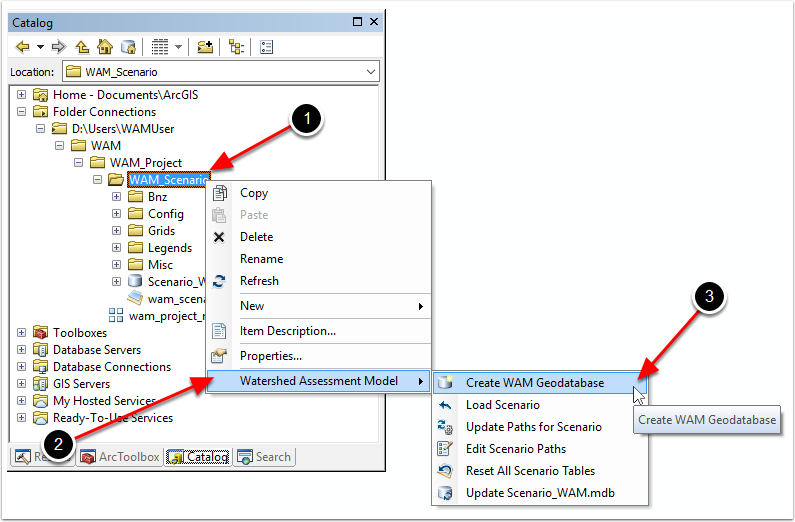
When creating a geodatabase, an appropriate projection must be selected. After selecting the "Create WAM Geodatabase" in the above step, a screen will appear to select the horizontal projection. The appropriate projection depends on where the scenario is located, and many options are available. The user must decide before this step which projection is most appropriate. The first screen shown is:
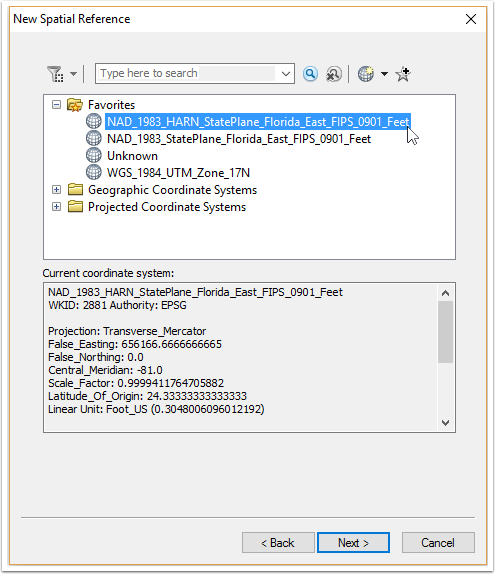
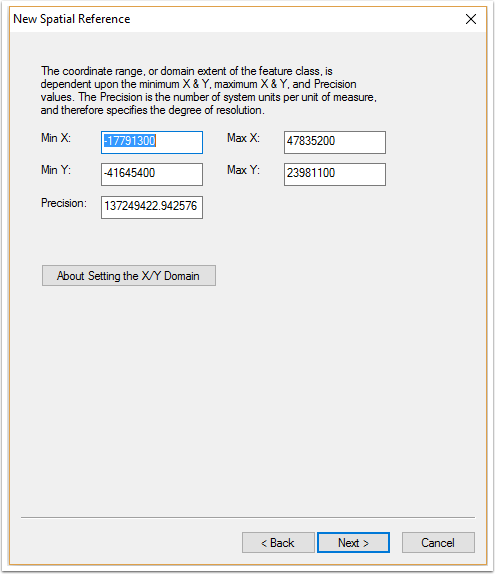
After selecting the desired coordinate system, click the "Next >" button to move to the next screen which is used to set the X/Y (horizontal) domain. Usually the default values should be used, but these can be changed if needed. Click the "Next >" button when ready:
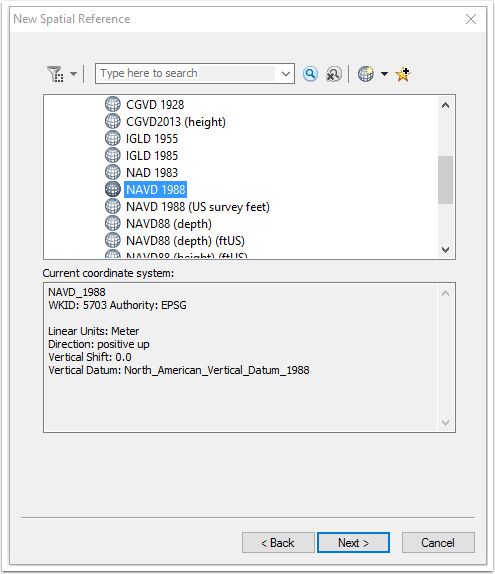
After the domain has been selected, the vertical coordinate system can be selected. Usually NAVD 1988 is used, but NGVD 1929 should be used in some circumstances. Click the "Next >" button when ready:
Finally, the domain extent for Z-values (vertical values) needs to be selected. As with the horizontal domain, the default values are usually appropriate but if not, the user can change them here. Click the "Finish" button when ready:
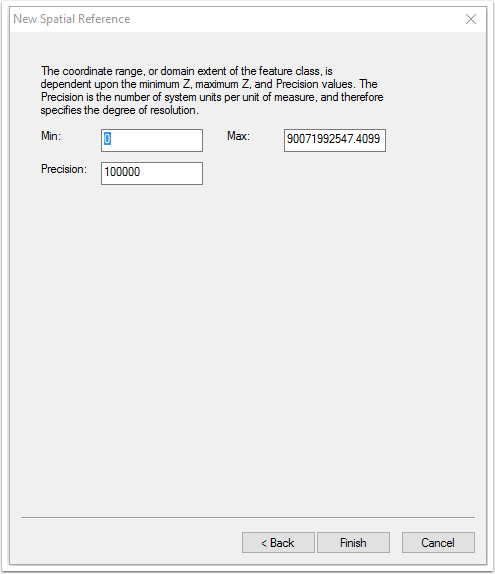
The new geodatabase will be created after a few moments. This database is named "WAM_GIS_Geodatabase.mdb" and it contains a number of items:
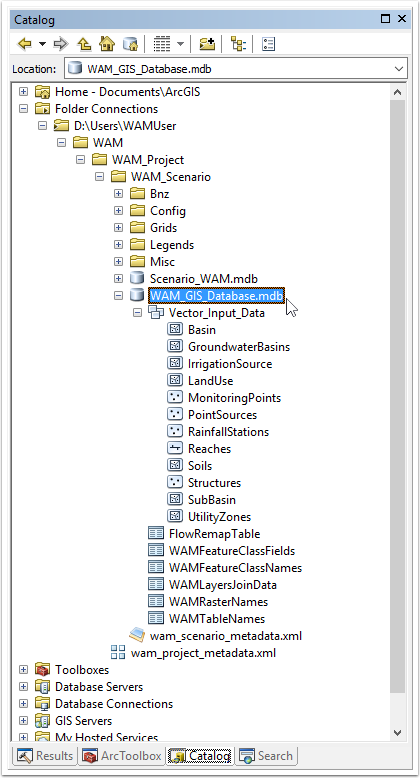
The feature dataset named "Vector_Input_Data" contains all of the feature classes needed by WAM, but note that they are empty and data (e.g., land use, soils) will need to be imported from various sources. The various tables ("FlowRemapTable", "WAMFeatureClassFields", etc.) are used internally by WAM when a scenario is assembled. These tables should not be altered by the user.